Quick Response in Urgent Situations
In urgent situations, users don’t have time to click through multiple views or ask for extra information they need everything at their fingertips.
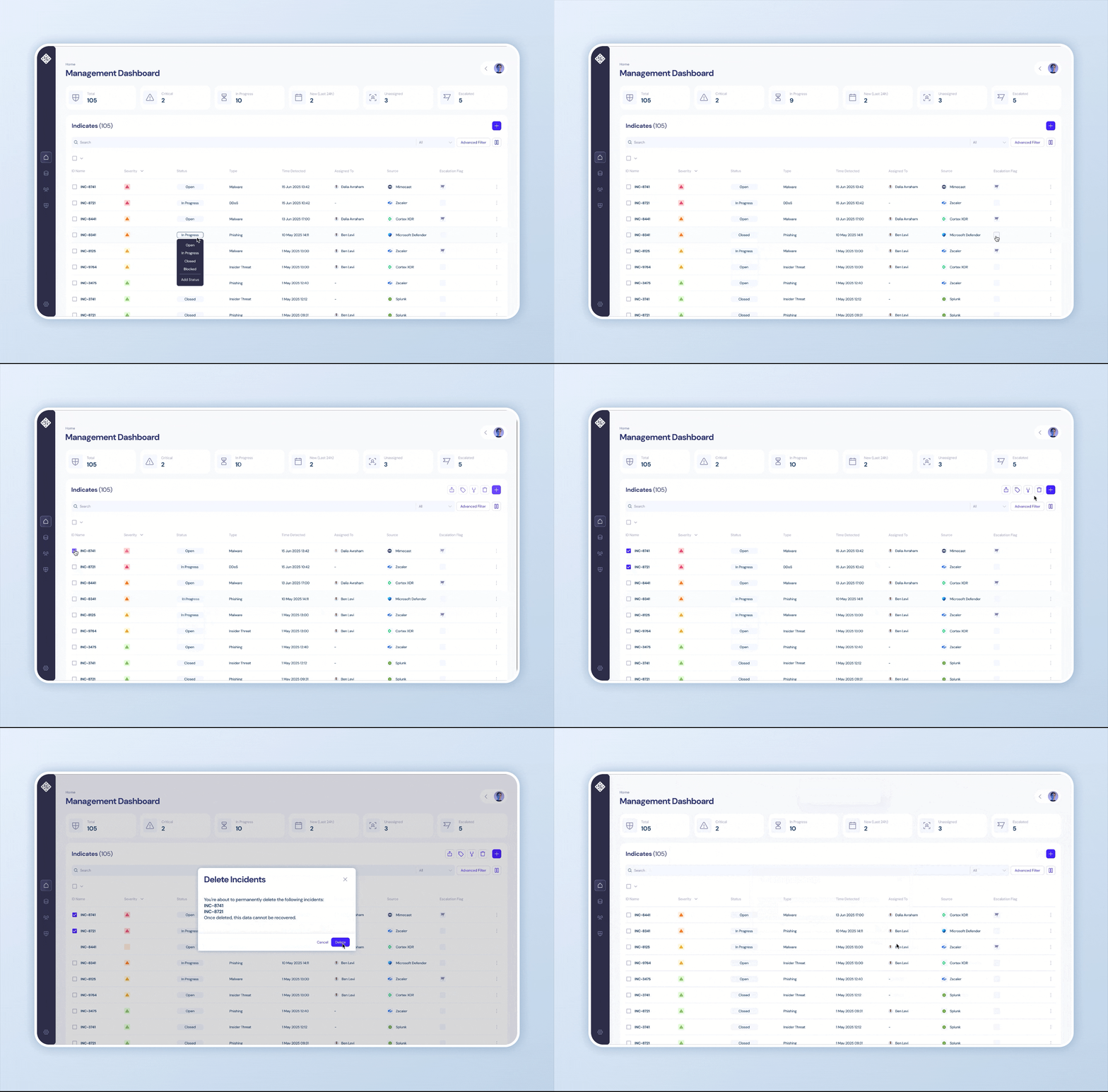
I introduced Editable Columns, enabling users to make quick updates like reassigning incidents or changing statuses directly from the table. I also added Bulk Actions, which allow users to apply changes across multiple incidents in one click.
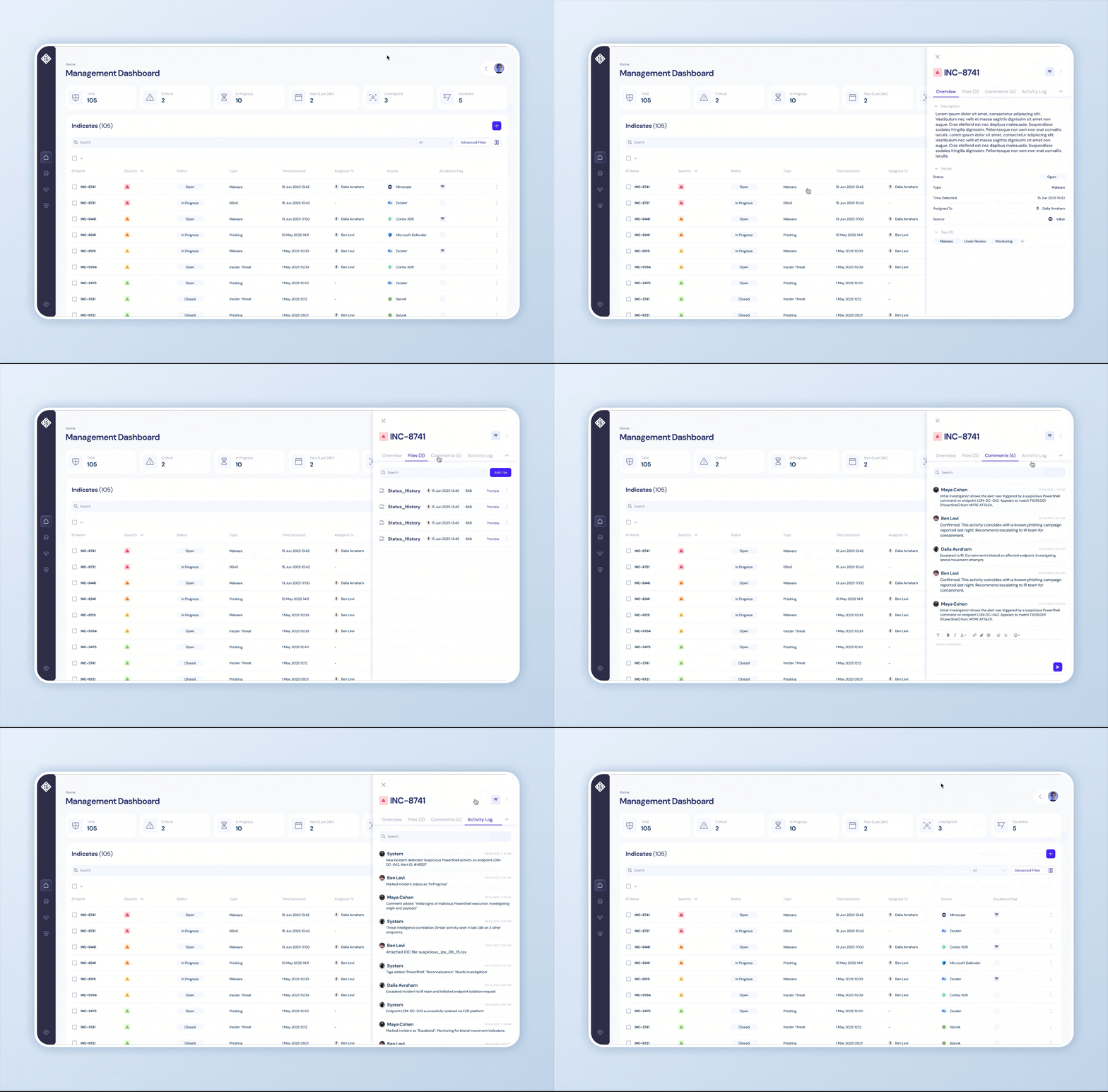
When more context is needed, I designed the Overview Hint Panel- A quick-access preview that appears when hovering or selecting an incident. It provides a compact, yet rich snapshot of the incident: key metadata, recent comments, attached files, related alerts, and the latest activity logs. This allows users to make informed decisions instantly, without navigating away or opening a full detail view.
The Main Goal
Rapidly detect, prioritize, and escalate high-risk threats to enable swift, proactive incident response.
Streamline
Incident Visibility
Reduce information overload by organizing and surfacing only the most relevant alerts, enabling users to focus on what truly matters.
Efficient Prioritization
Empower users to quickly identify and act on high-impact incidents through intelligent sorting, tagging, and severity indicators.
Quick Response in Urgent Situations
Provide immediate access to critical context and insights, allowing users to respond rapidly and confidently, without breaking their workflow.
The Challenges

Incidents Dashboard
Security Operations Analysts are responsible for monitoring, investigating, and escalating security incidents across enterprise systems.
They operate in high-pressure environments where rapid threat detection and prioritization are critical.
Their workflow involves reviewing large volumes of alerts, filtering for relevance, and taking swift action to mitigate
potential risks.
Efficiency, clarity, and contextual insight are essential to their performance.
Streamline Incident Visibility
Users were struggling with a flood of alerts, many of which were irrelevant or low priority.
To solve this, I designed a system that puts clarity and control in the user’s hands.
I created a Top Metrics Panel that highlights the most important incident categories and acts as a quick filter into the data, This gives users a focused entry point to their workflow.
To support deeper exploration, I added Smart Search, allowing users to find exact matches across specific fields.
For more advanced use cases, the AI-powered Filter Builder enables users to create complex queries without needing technical skills.
Finally, the Columns Display customization allows users to clean up their workspace, choosing only the data they need and hiding the rest.

Efficient Prioritization
Users often find themselves staring at a long list of open incidents, unsure where to begin. To solve this, I focused on making prioritization intuitive and visual. I added interactive Column Sorting, so users can instantly reorder incidents by severity, time, or other key fields.
